

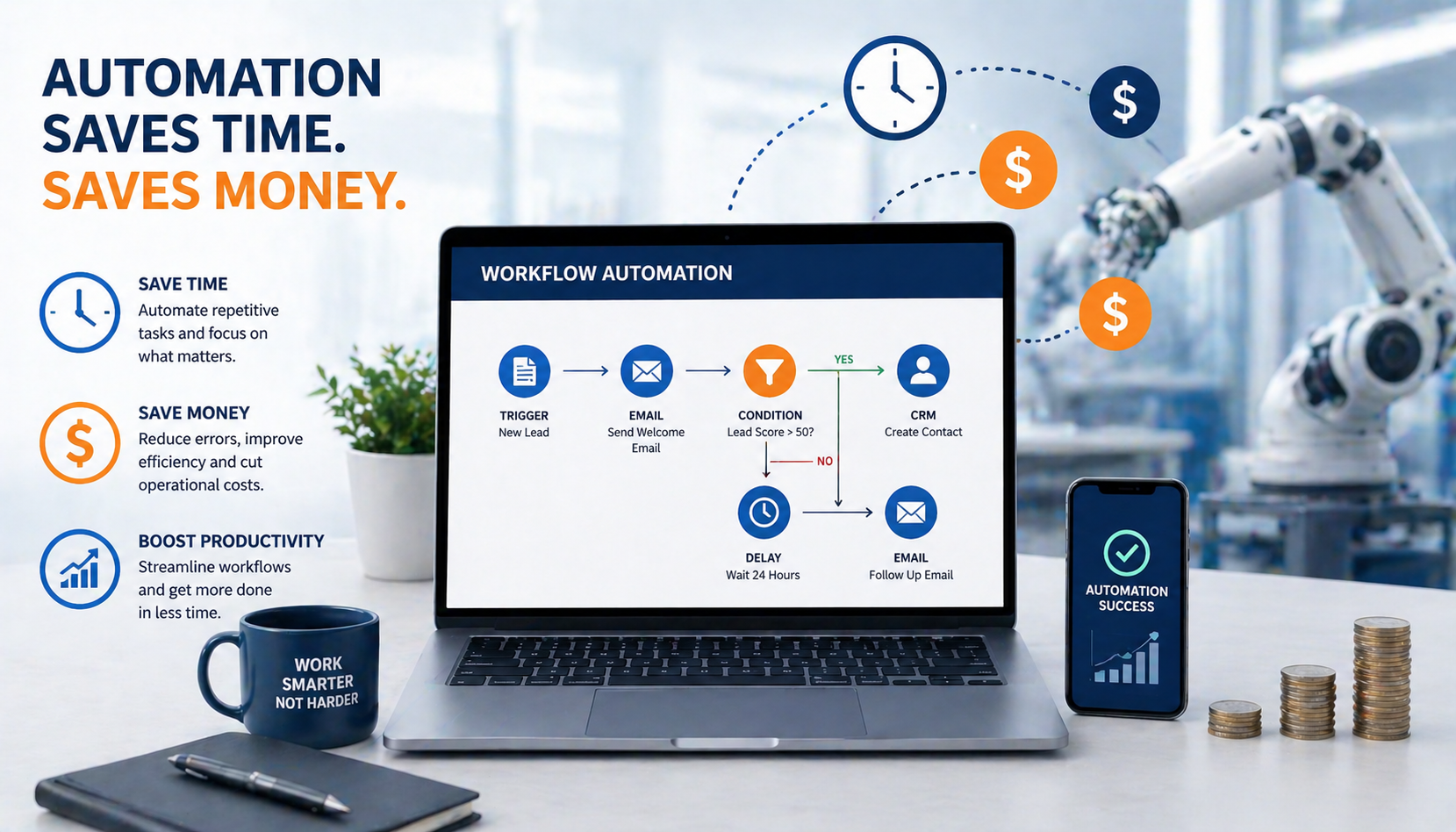
Automation tools have transformed the way businesses and individuals approach daily tasks, offering remarkable opportunities to streamline operations and reduce costs. Whether you run a small business, manage a large corporation, or simply want to optimize your personal productivity, understanding how automation tools can save time and money opens doors to efficiency you might never have imagined. These digital solutions handle repetitive tasks, eliminate human error, and free up valuable hours that you can redirect toward strategic thinking, creative work, or simply enjoying more personal time. The beauty of modern automation lies in its accessibility, with options available for every budget and skill level.
Many people mistakenly believe automation only benefits large enterprises with substantial technology budgets and dedicated IT teams. This outdated perception prevents countless individuals and small businesses from capturing enormous value that automation provides. Today’s automation landscape includes affordable, user-friendly tools designed specifically for non-technical users. From scheduling social media posts to automatically sorting emails, from generating invoices to tracking inventory, automation solutions exist for nearly every business function and personal productivity challenge. Understanding how automation tools can save time and money starts with recognizing that automation is not about replacing human workers but rather empowering them to focus on high-value activities that truly require human intelligence, creativity, and judgment.
The Real Cost of Manual Processes
Before exploring specific automation benefits, consider the hidden costs of manual processes that drain resources without providing corresponding value. Every repetitive task performed manually consumes time that employees could spend on revenue-generating activities or strategic initiatives. When your team manually enters data from one system into another, creates reports by copying information into spreadsheets, or sends individual follow-up emails to customers, they sacrifice hours that accumulate into weeks and months over time. These hours represent real money in the form of salaries paid for routine work rather than meaningful contributions.
Manual processes also introduce errors that create additional costs. Human beings naturally make mistakes when performing repetitive tasks, especially as fatigue sets in during long workdays. A transposed number in a financial record, a forgotten follow-up email to a potential customer, or an inventory count error can cascade into larger problems requiring even more time to fix. Some errors result in direct financial losses through duplicate payments, missed sales opportunities, or compliance violations that trigger penalties. The inconsistency inherent in manual work creates quality variations that damage customer experiences and brand reputation.
Opportunity costs represent perhaps the most significant but least visible expense of manual processes. Time spent on routine tasks is time not spent developing new products, improving customer relationships, analyzing market trends, or pursuing growth opportunities. Small businesses particularly feel this pressure as founders and key employees spend countless hours on administrative work instead of building their companies. Even in larger organizations, talented professionals often express frustration about drowning in busywork that prevents them from applying their skills to meaningful challenges. Understanding how automation tools can save time and money requires recognizing these opportunity costs as real expenses that automation directly addresses.
Types of Automation Tools for Different Needs
Automation tools span a wide range of categories, each designed to address specific business functions and productivity challenges. Marketing automation platforms help businesses nurture leads, send targeted communications, and track customer engagement without manual intervention. Tools like Mailchimp, HubSpot, and ActiveCampaign automate email campaigns, social media posting, and lead scoring, allowing marketing teams to reach thousands of prospects with personalized messages while spending minimal time on execution. These platforms track results automatically, providing insights that help refine strategies without requiring manual data compilation.
Workflow automation tools connect different applications and trigger actions based on predefined conditions. Zapier, Make (formerly Integromat), and Microsoft Power Automate let you create automated workflows without coding knowledge. For example, you can automatically save email attachments to cloud storage, create tasks in project management software when you receive specific emails, or update customer records across multiple systems simultaneously. These integration tools eliminate the tedious copying and pasting between applications that wastes countless hours in typical workdays.
Financial automation software streamlines accounting, invoicing, expense tracking, and financial reporting. QuickBooks, Xero, and FreshBooks automatically categorize transactions, generate invoices based on time tracking or project completion, send payment reminders, and produce financial reports with current data. This automation reduces accounting costs, improves cash flow through faster invoicing and payment collection, and provides real-time financial visibility that supports better decision-making. Small business owners who previously spent hours on bookkeeping each week can redirect that time toward growing their businesses.
Customer relationship management systems with automation capabilities help businesses manage sales pipelines, customer communications, and service interactions efficiently. Salesforce, Pipedrive, and Zoho CRM automate lead assignment, follow-up reminders, data entry, and reporting. Sales teams can focus on conversations with prospects rather than administrative tasks, while customer service teams respond faster by accessing complete customer histories automatically. The consistent processes these tools enforce ensure no leads fall through cracks and every customer receives timely attention.
How Automation Tools Can Save Time in Daily Operations

Time savings represent the most immediately visible benefit when implementing automation. Consider email management, a task that consumes significant portions of most professionals’ workdays. Email automation tools filter messages, categorize them by priority or topic, send automatic responses to common inquiries, and schedule messages for optimal sending times. Instead of manually sorting through hundreds of emails daily, you process only those requiring personal attention while automation handles routine communications. This single change can recover several hours weekly that you can apply to more valuable activities.
Social media management illustrates another powerful time-saving application. Rather than logging into multiple platforms throughout the day to post updates, respond to comments, and check analytics, automation tools like Buffer, Hootsuite, and Sprout Social let you schedule content in advance and monitor all channels from one dashboard. You can dedicate a few hours monthly to content planning and scheduling, then let automation handle publication while you focus on other priorities. The consistency this approach provides often improves social media performance compared to sporadic manual posting.
Data entry and report generation represent prime automation opportunities that save enormous amounts of time. Instead of manually copying information between systems or compiling data into spreadsheets for reports, automation tools extract, transform, and present information automatically. Sales reports that previously required hours of data gathering and formatting now generate instantly with current information. Inventory updates that demanded manual counts and spreadsheet updates now happen automatically as items are sold or received. These time savings multiply across organizations where multiple people previously performed these tasks.
Appointment scheduling showcases how automation tools can save time and money by eliminating communication back-and-forth. Services like Calendly, Acuity Scheduling, and Microsoft Bookings let clients book appointments directly based on your availability without email exchanges or phone tag. The tool checks your calendar, presents available times, sends confirmations and reminders automatically, and even handles rescheduling requests. What typically required multiple communications and several minutes per appointment now happens in seconds without your involvement.
The Money-Saving Power of Automation
Direct cost reduction through labor savings represents the most obvious financial benefit of automation. When tools handle routine tasks, you need fewer people performing those functions or can reassign existing staff to higher-value work. A business that previously employed someone primarily for data entry might eliminate that position or redirect that person toward customer service or sales support. Even without reducing headcount, automation increases output per employee, improving the return on labor costs. Small businesses particularly benefit because founders can delay hiring additional staff by automating growth-related workload increases.
Error reduction translates directly into cost savings across multiple areas. Automated data entry eliminates transcription errors that create accounting problems, customer service issues, and inventory discrepancies. Automated payment processing prevents duplicate payments and missed payment deadlines that incur late fees. Automated compliance checks catch potential violations before they result in penalties. While difficult to quantify precisely, these error-prevention benefits often exceed the cost of automation tools within the first year, especially in regulated industries where compliance mistakes trigger substantial fines.
Improved cash flow through automated invoicing and payment collection provides significant financial benefits. Businesses that automate invoice generation and delivery typically send invoices faster after completing work, accelerating payment timelines. Automated payment reminders ensure customers receive timely prompts without requiring manual follow-up, reducing late payments and improving collection rates. Some automation platforms integrate payment processing, making it effortless for customers to pay invoices immediately. Faster payment collection reduces the need for expensive credit lines to cover cash flow gaps, directly impacting your bottom line.
Scaling operations without proportional cost increases demonstrates how automation tools can save time and money during growth phases. Traditional businesses needed to hire additional staff roughly proportional to revenue growth, creating linear scaling economics. Automation breaks this pattern by handling increased volume without requiring additional resources. An automated email marketing system sends messages to ten thousand subscribers as easily as one thousand. Automated order processing handles one hundred daily orders with the same resources as ten. This scaling efficiency means growth translates more directly into profit rather than being consumed by proportional cost increases.
Implementing Automation Without Overwhelming Your Team
Successful automation implementation requires thoughtful planning rather than attempting to automate everything simultaneously. Start by identifying the most time-consuming, repetitive tasks that your team performs regularly. Survey employees about activities they find tedious or frustrating, as these often represent excellent automation candidates. Look for processes that follow consistent rules without requiring complex judgment, as these automate most easily. Create a prioritized list based on time savings potential, implementation difficulty, and cost, then tackle the highest-value opportunities first.
Begin with simple, low-risk automation projects that deliver quick wins and build confidence. Automating email responses to common inquiries, scheduling social media posts, or setting up automated data backups provides value without disrupting critical operations. These early successes demonstrate automation benefits to skeptical team members and help you learn the tools before tackling more complex processes. Document the time and cost savings from initial projects to build momentum and justify expanding automation efforts.
Involve team members who perform the tasks you plan to automate in the implementation process. They understand the current process details, potential complications, and necessary exceptions better than anyone else. Their participation ensures the automated version works correctly and gains acceptance rather than resistance. Address concerns about job security directly by explaining that automation eliminates tedious tasks while creating opportunities to focus on more interesting, valuable work. Frame automation as a tool that makes everyone’s job better rather than a threat to employment.
Training and support ensure smooth transitions from manual to automated processes. Provide adequate time for people to learn new tools and adjust workflows around automation. Create documentation explaining how automated systems work and what to do when exceptions occur. Establish clear points of contact for questions and problems during the transition period. Monitor automated processes closely initially to catch and fix issues before they create serious problems. This careful implementation approach maximizes the benefits of understanding how automation tools can save time and money while minimizing disruption.
Choosing the Right Automation Tools for Your Situation
The abundance of automation tools available can overwhelm people trying to select appropriate solutions. Start by clearly defining your needs and goals before researching specific tools. What processes consume the most time? What problems cause the biggest frustrations? What outcomes would provide the most value? Specific requirements help narrow the field from thousands of options to manageable shortlists. Consider whether you need specialized tools for particular functions or general workflow automation platforms that connect various applications.
Budget considerations should account for both direct costs and implementation time. Many automation tools offer tiered pricing with free or inexpensive entry levels suitable for small-scale use. These affordable options let you test automation benefits before committing to significant expenses. However, the cheapest tool is not always the most cost-effective choice. Consider implementation complexity, learning curves, and feature limitations when comparing options. A slightly more expensive tool that your team can implement quickly and use effectively often provides better value than a cheaper alternative requiring extensive setup or offering limited functionality.
Integration capabilities matter enormously when selecting automation tools. The most powerful automation often comes from connecting multiple systems to work together seamlessly. Verify that automation tools you consider integrate with software you already use for accounting, customer management, project tracking, and other core functions. Tools with extensive integration ecosystems provide more flexibility and future-proofing than isolated solutions. Popular platforms like Zapier and Make support thousands of application integrations, making them versatile choices for general workflow automation.
Scalability ensures your automation tools can grow with your needs. A solution perfect for your current situation might become limiting as your business expands. Research whether tools you consider support higher volumes, additional users, and more complex workflows at reasonable cost increases. Read reviews from users at various company sizes to understand how tools perform at different scales. Switching automation tools later requires reimplementing processes, so choosing scalable solutions from the start saves future migration headaches.
Measuring the Impact of Your Automation Efforts
Tracking automation results helps justify investments and identify improvement opportunities. Establish baseline measurements before implementing automation to enable accurate comparisons. How many hours do current manual processes consume weekly? What error rates occur? How long do various tasks take? What costs do you incur for these activities? These baseline metrics provide the reference points needed to calculate automation impact accurately.
Time savings represent the most straightforward metric to track. Record how long automated processes take compared to previous manual execution. A task that previously required two hours daily but now runs automatically in minutes represents substantial savings. Multiply these time savings by hourly labor costs to calculate financial impact. Remember to account for time spent managing and monitoring automation tools to ensure your calculations reflect net savings rather than gross reductions.
Quality improvements and error reductions contribute significant value even when difficult to measure precisely. Track error rates before and after automation implementation where possible. Monitor customer complaints, returned products, or other quality indicators that might reflect automation impact. Even without perfect measurement, directional improvements validate automation benefits. Reduced stress and frustration among team members performing previously tedious tasks represent real if intangible benefits worth noting.
Business outcome improvements demonstrate how automation tools can save time and money at the highest level. Has customer satisfaction increased due to faster response times? Have sales grown because representatives spend more time with prospects? Has cash flow improved through faster invoicing and collection? Connect automation initiatives to broader business metrics when possible to show strategic value beyond operational efficiency. These connections help secure ongoing support and investment in automation expansion.
Common Automation Mistakes to Avoid
Automating broken processes represents a classic mistake that delivers disappointing results. If your current manual process is inefficient, complicated, or ineffective, automating it simply executes the flawed process faster. Before automating, examine whether the underlying process needs improvement. Streamline steps, eliminate unnecessary approvals, and clarify decision criteria. Well-designed processes deliver far better results when automated than complicated, inefficient workflows.
Over-automation can create rigid systems that cannot handle exceptions or changing circumstances. Not everything should be automated, particularly processes requiring judgment, empathy, or complex problem-solving. Maintain human involvement in customer interactions requiring personal touch, decisions involving significant uncertainty, and situations where flexibility matters more than consistency. The goal is augmenting human capabilities through automation, not eliminating human judgment from operations entirely.
Neglecting maintenance and updates causes automated systems to degrade over time. Business processes evolve, software updates change integrations, and new requirements emerge. Schedule regular reviews of automated workflows to ensure they still serve their intended purposes effectively. Update automations when underlying processes change rather than allowing mismatches to develop. Monitor for errors or unexpected behaviors that might indicate problems requiring attention. Treating automation as a set-it-and-forget-it solution inevitably leads to issues.
Ignoring security and compliance risks when implementing automation can create serious problems. Automated systems often access sensitive data and perform actions with significant business impact. Ensure automation tools meet security standards appropriate for your industry and data sensitivity. Review permissions and access controls to prevent unauthorized use. Document automated processes for compliance purposes in regulated industries. The convenience of automation should never compromise security or regulatory compliance.
Real-World Success Stories of Automation
Small businesses across the USA, UK, and Canada have discovered how automation tools can save time and money through practical implementations. A boutique marketing agency reduced proposal creation time by eighty percent using document automation and electronic signatures. What previously required several hours of formatting, customizing, and emailing now happens in minutes with automated templates and approval workflows. The time savings allowed the agency to pursue more clients without hiring additional administrative staff.
A regional manufacturing company automated inventory tracking and order processing, eliminating manual data entry and reducing errors by ninety percent. Real-time inventory visibility improved customer service through accurate availability information and faster order fulfillment. The warehouse team redirected time previously spent counting inventory toward process improvements that further increased efficiency. Within six months, the automation investment paid for itself through labor savings and error reduction.
An accounting firm automated client onboarding, document collection, and appointment scheduling, reducing administrative overhead by sixty percent. Clients appreciated the streamlined experience and faster service initiation. The firm’s staff spent less time on coordination and more time delivering accounting services, increasing billable hours without extending work weeks. This efficiency improvement directly increased profitability while improving work-life balance for employees.
A nonprofit organization automated donation processing and donor communications, increasing fundraising efficiency dramatically. Automated thank-you emails, tax receipts, and engagement campaigns maintained donor relationships without requiring dedicated staff time. The organization processed more donations with fewer resources, directing a higher percentage of revenue toward its mission rather than administrative costs. Donor retention improved through consistent, timely communications that would have been impossible to maintain manually.
Getting Started with Automation Today
Beginning your automation journey requires no special expertise or massive investment. Identify one time-consuming, repetitive task you or your team performs regularly that follows consistent rules. This might be scheduling social media posts, sending follow-up emails, generating weekly reports, or backing up important files. Research automation tools designed for that specific task, focusing on user-friendly options with free trials or affordable entry pricing.
Sign up for a free trial and experiment with automating your chosen task. Most modern automation tools provide templates and step-by-step guides that make setup straightforward even for non-technical users. Invest a few hours learning the tool and configuring your first automation. Test thoroughly to ensure it works correctly before relying on it completely. This hands-on experience builds confidence and demonstrates practical benefits more effectively than theoretical research.
Document your results by tracking time savings and quality improvements from your first automation project. Calculate the hours recovered weekly and translate that into annual time savings. Note any errors eliminated or consistency improvements achieved. Share these results with team members or stakeholders to build support for expanding automation efforts. Success with one project creates momentum and enthusiasm for tackling additional opportunities.
Gradually expand your automation initiatives based on lessons learned from early projects. As you become comfortable with basic automation, explore more sophisticated tools and processes. Connect multiple applications through workflow automation platforms. Investigate AI-powered tools that handle more complex tasks. Join online communities focused on automation to learn from others’ experiences and discover new possibilities. Understanding how automation tools can save time and money evolves from theoretical knowledge to practical expertise through consistent application and learning.
FAQs
How much does automation software typically cost for small businesses?
Many automation tools offer free tiers with basic features suitable for small-scale use, while paid plans typically range from ten to one hundred dollars monthly depending on functionality and user count. Entry-level marketing automation, workflow tools, and financial software often cost between twenty and fifty dollars monthly, with costs scaling based on volume and advanced features.
Do I need technical skills to implement automation tools?
Most modern automation tools are designed for non-technical users with intuitive interfaces and pre-built templates. Basic automation requires no coding knowledge, though more complex customizations might benefit from technical expertise. Many platforms offer extensive tutorials, and numerous online courses teach automation skills to beginners.
How long does it take to see results from automation?
Simple automation projects can deliver time savings immediately, sometimes within the first day ofimplementation. More complex automation initiatives might require weeks to months for full implementation and optimization. Most businesses experience measurable benefits within the first quarter after beginning automation efforts, with returns increasing as they expand to additional processes.
Can automation work for businesses in any industry?
Yes, automation benefits businesses across all industries from professional services to manufacturing, retail to healthcare. While specific tools and applications vary by industry, the fundamental principle of automating repetitive tasks applies universally. Industry-specific automation solutions exist for most sectors, addressing unique regulatory requirements and specialized processes.
What happens if an automated process encounters an error?
Well-designed automation includes error handling that alerts users when problems occur and often pauses processes to prevent cascading issues. Most automation tools provide logs showing exactly what happened, making troubleshooting straightforward. Establishing monitoring and backup procedures ensures errors get caught and resolved quickly without serious consequences.
Conclusion
Understanding how automation tools can save time and money transforms from abstract concept to practical reality when you begin implementing these powerful solutions in your daily operations. The combination of direct labor savings, error reduction, improved cash flow, and enhanced scalability creates compelling economic benefits that justify automation investments across businesses of all sizes. Beyond financial returns, automation delivers quality-of-life improvements by eliminating tedious tasks that drain energy and motivation from your team. The freed time enables focus on creative, strategic, and relationship-building activities that drive meaningful business growth and personal satisfaction. Starting small with simple automation projects builds confidence and demonstrates value that naturally leads to expanding initiatives. The automation tools available today offer unprecedented accessibility, with user-friendly interfaces and affordable pricing that democratize efficiency gains previously available only to large enterprises. Whether you operate a one-person business in the USA, manage a growing company in the UK, or lead an established organization in Canada, automation provides scalable solutions that adapt to your specific needs and grow with your success. The question is not whether automation can benefit your situation but rather which processes you will automate first to begin capturing these remarkable advantages. The competitive landscape increasingly rewards organizations that embrace automation while penalizing those that cling to manual processes, making the decision to start your automation journey more urgent with each passing day. Take that first step today by identifying one time-consuming task you can automate, and experience firsthand how automation tools can save time and money while transforming your productivity and business potential.